
Finding search terms from articles
Finding search terms from articles

If you are a student (bachelor, master or PhD), you should always ask your supervisor if they have any relevant articles for the project. Whether these references are old or new is of little importance. You can make good use of these articles by looking them up in relevant databases and seeing how they are indexed; that is, check which controlled vocabulary search terms they are indexed with.
Example: Different controlled vocabulary search terms in various databases
Your project involves studying how working with vibrating tools can affect health. Your supervisor has the following relevant reference:
PubMed
By looking up this reference in PubMed, you get the following information:
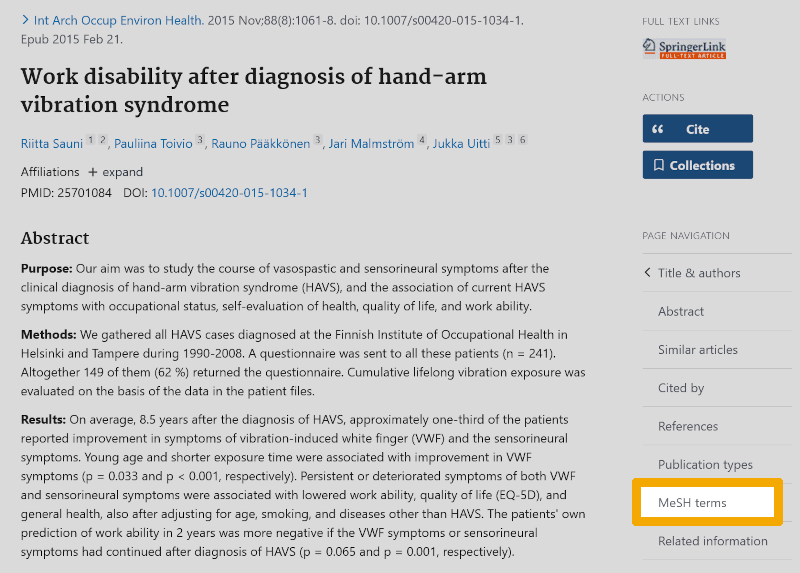
In this window, you click on the MeSH term (controlled vocabulary in PubMed). You then get an overview of all the controlled vocabulary search terms (MeSH terms) that have been used to index this article:
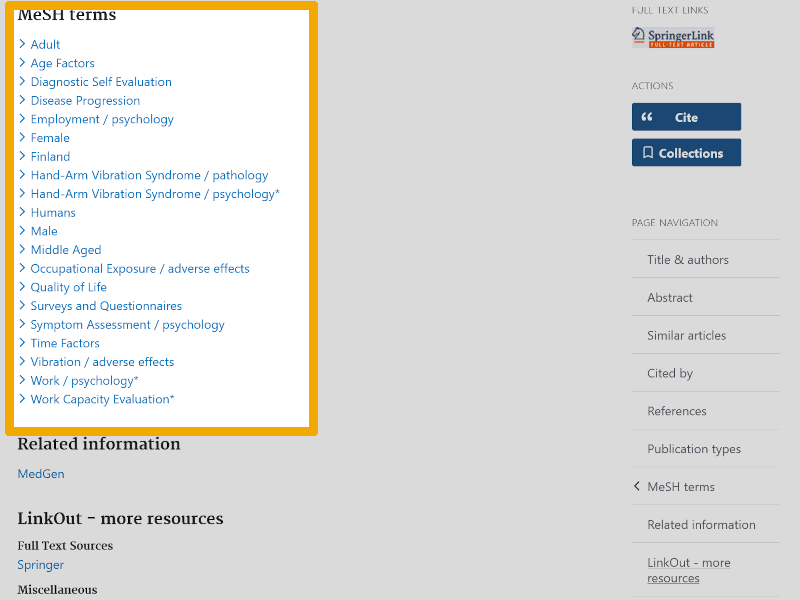
Here you will find many relevant controlled vocbulary search terms that can be included in the search strategy for your own project.
Ovid Medline
If we look up the same reference in Ovid Medline's Advanced Search window, with Title selected, we see the following:
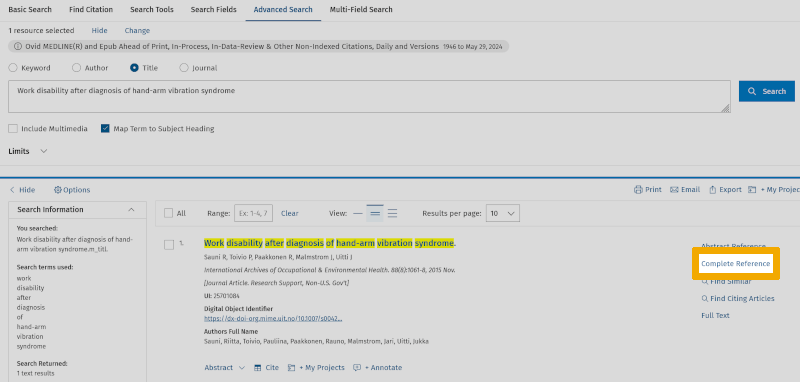
If we then click on Complete Reference, to the right of the title, we find the following information about the controlled vocabulary search terms (MeSH terms) that have been used to index this article in Medline:
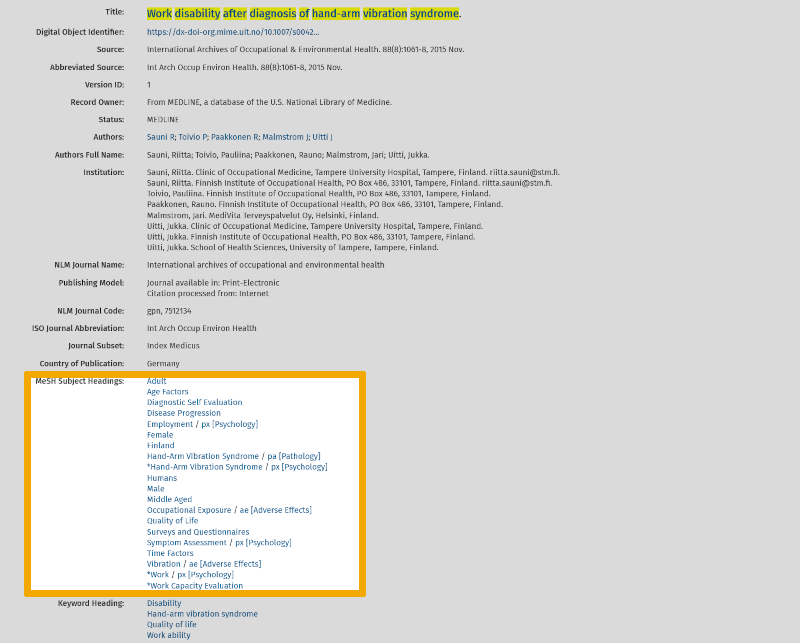
Note that you also find a list of keywords that the authors of the article have chosen to ensure that it can be found in relevant searches (under Keyword Heading).
Ovid Embase
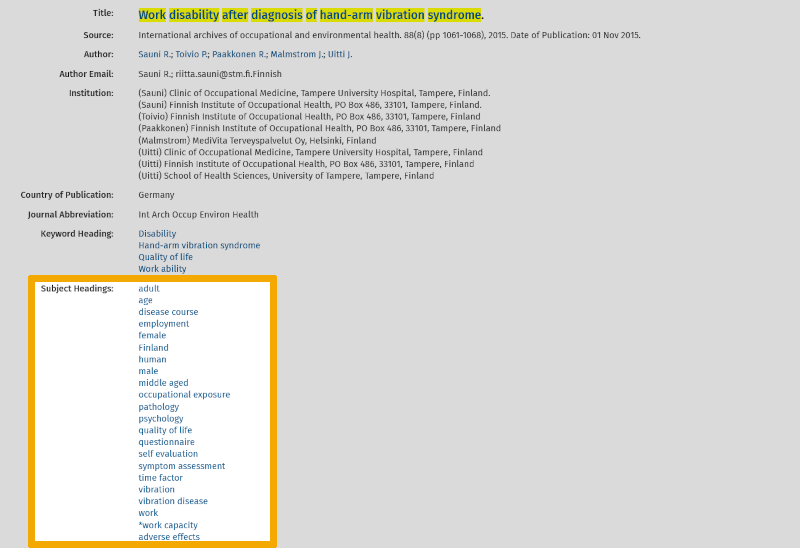
If we look up the same article in Ovid Embase, using the same procedure as for Ovid Medline, we find the following information about how it has been indexed using Embase's controlled vocabulary (‘Emtree’-index):
From these examples, you see that it can be very useful to look up relevant articles in different databases. This technique can be of major help when we are getting started with the search strategy for our next project.